
See where your storage goes.
See what takes up disk space on Windows 11 with Sunburst and Sankey maps. Explore local files and review cleanup without uploading your scan.
A map of your disk, connected to your files
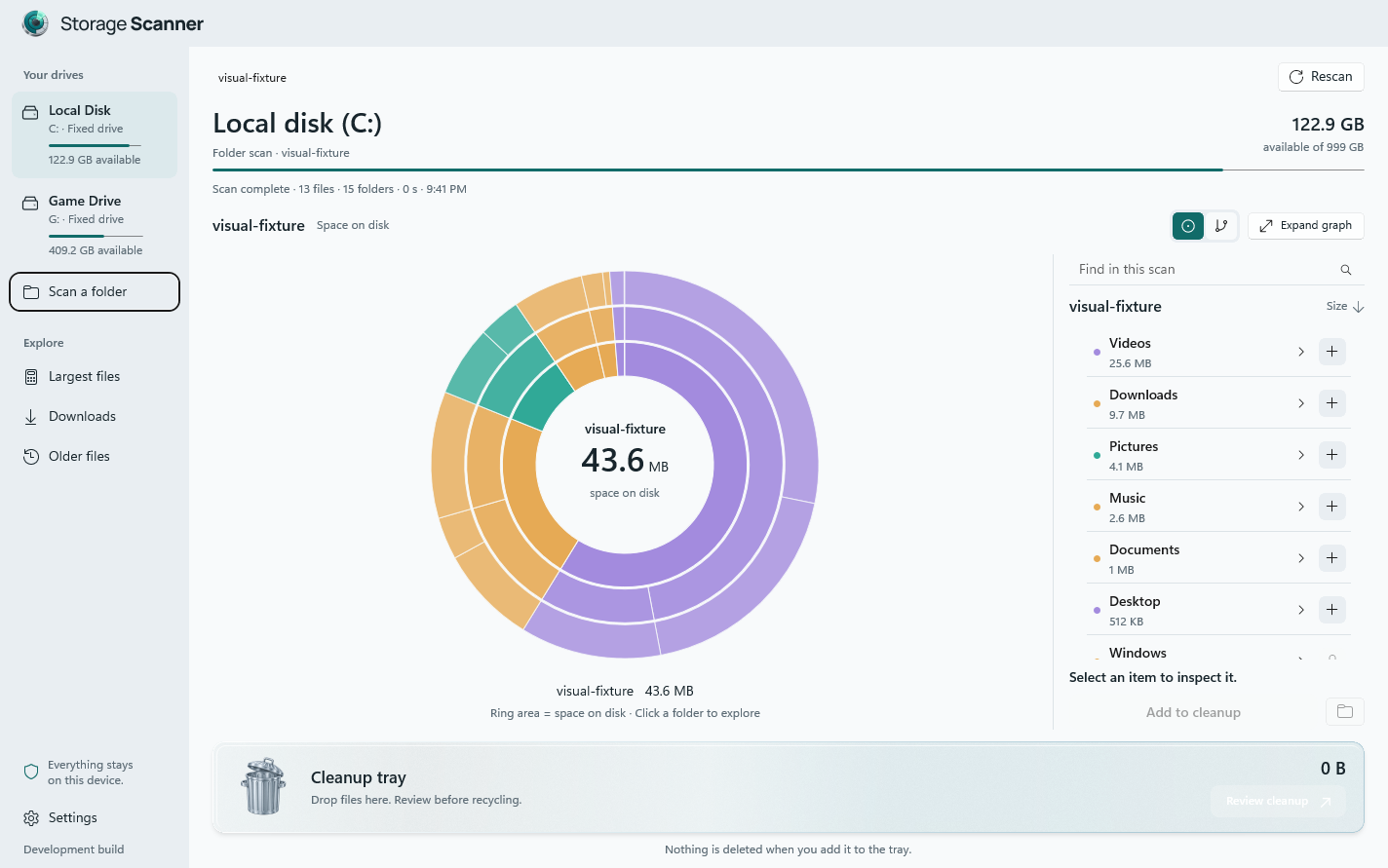
Storage Scanner is a native Windows 11 disk space analyzer. Choose a local drive or folder to build a visual map of the filesystem metadata. A ranked file list sits alongside the map, so you can move between the big picture and the exact items behind it.
Sunburst: explore one layer at a time
Sunburst rings show the hierarchy of folders and the relative storage they occupy. Select a region to explore a folder, inspect its contents in the list, and use breadcrumbs to return. It is useful when you know the area of a drive you want to investigate.
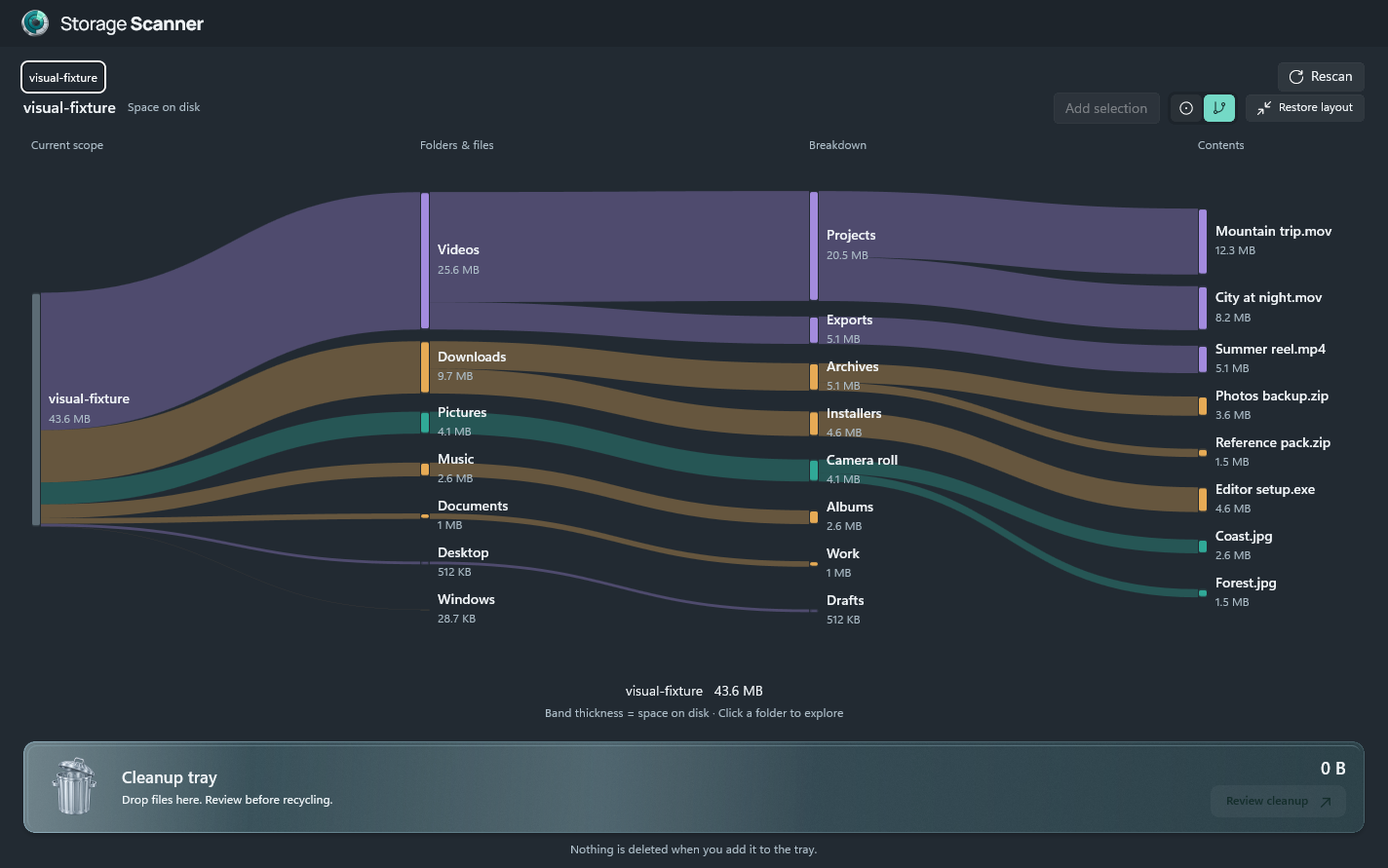
Sankey: follow storage through folders
The Sankey view uses bands to connect a folder to its larger branches. Expand the graph for more room, follow a branch, then restore the list when you are ready to inspect individual files.
Understand allocated size and file size
A file's logical length is not always the space it occupies on disk. Storage Scanner measures both logical and allocated bytes, includes alternate data streams, and counts hard-linked allocation once. The coverage summary makes exclusions visible. File totals may still differ from Windows drive usage because the operating system manages additional storage.
Find what deserves a second look
Browse the larger items, inspect older files and downloads, or search the current scan. A large or old file is a candidate for review, not proof that it is safe to remove. Open the containing folder and make sure you recognize it.
Cleanup starts with a review
Add selected files or folders to the cleanup tray. Nothing is deleted when you collect an item. Review the complete paths and remove anything you want to keep before approving a Windows Recycle Bin operation.
Your scan stays on your PC
The scan engine reads local metadata without opening file contents. It does not upload file names, paths, or scan results. Registered cloud-sync roots, reparse points, and network volumes are excluded. Unreadable and excluded areas are reflected in scan coverage.
See purchase and download optionsStart with our guide to finding large files on Windows 11.